Codester demo · Business software
ShipPipeline — Continuous Delivery Server
Runs your delivery pipelines on your own server — from a commit to a deploy, the same way every time — with the value-stream map that shows where every change is.
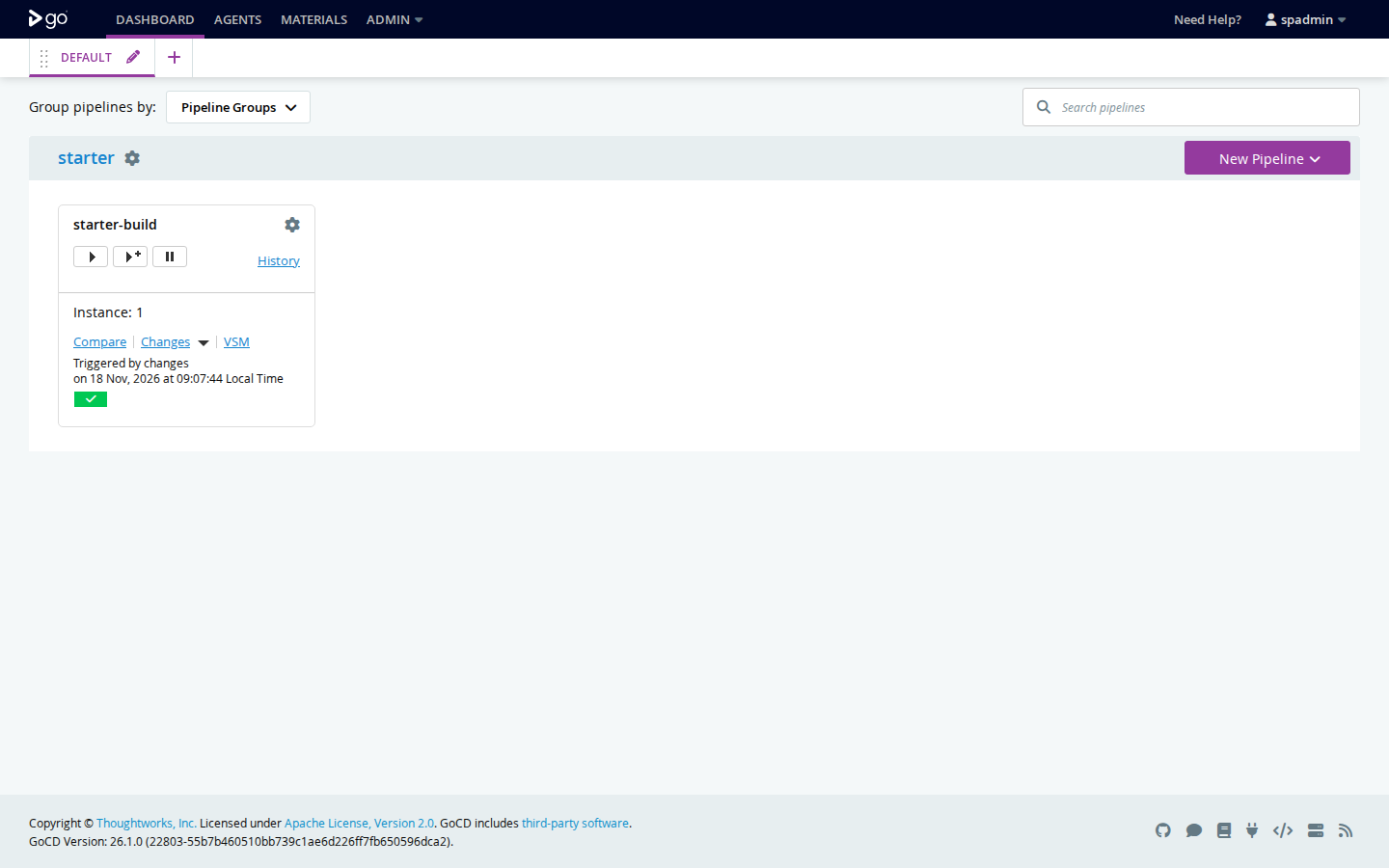
The dashboard after the starter run
The packaged server, booted during packaging: the starter pipeline the kit ships ran end to end — git checkout, build, test — and passed. Instance 1 sits on the dashboard with its green bar, signed in as the admin account the kit's install created. One honest note, stated in the listing too: this server version offers no supported setting for its own name and logo, so the console's built-in frame still carries the program's original name — everything the kit controls is ShipPipeline.
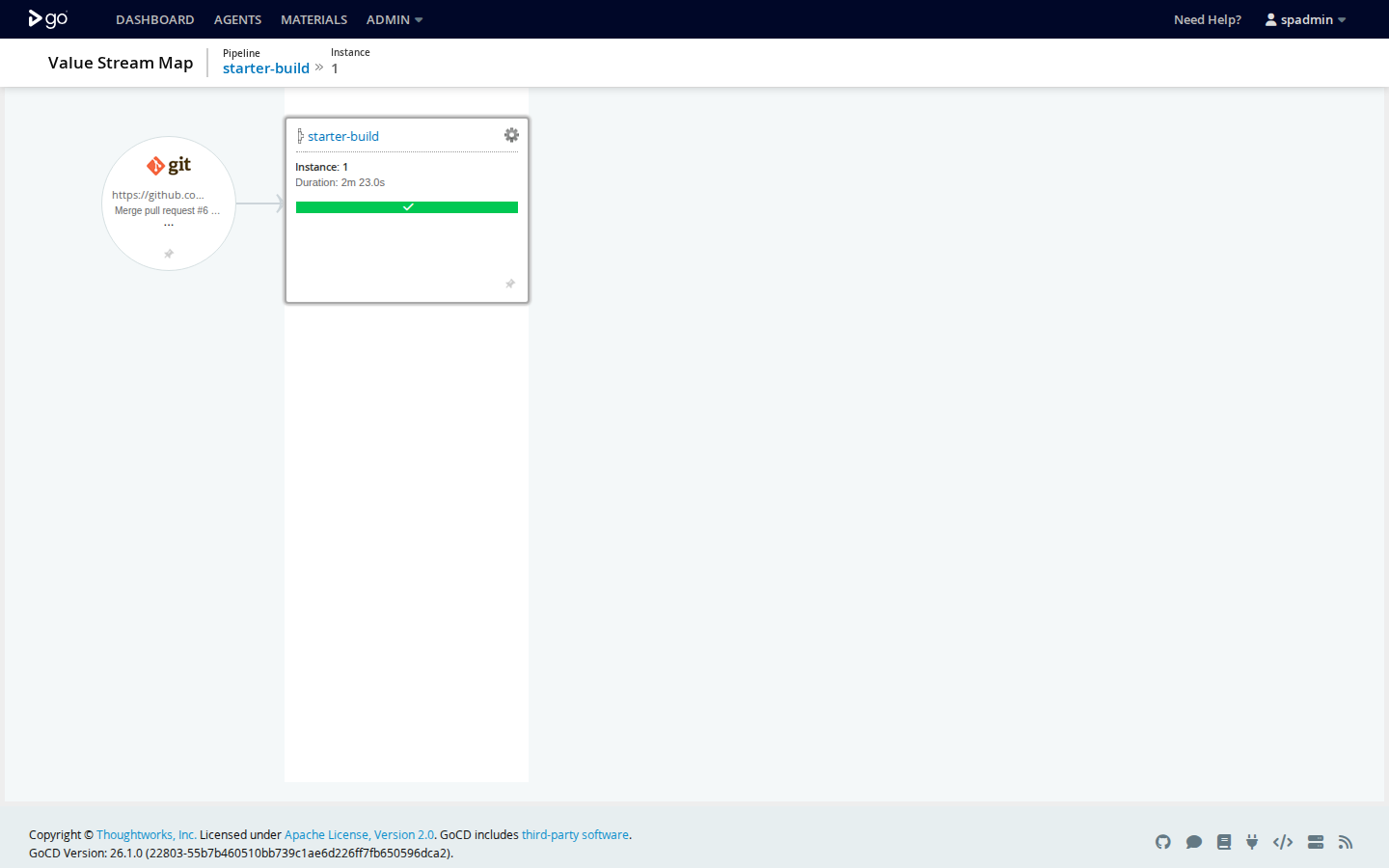
The value-stream map for that run
One picture from the commit to the pipeline: the git change on the left, starter-build passed on the right, 2 minutes 23 seconds end to end. On a real project this map chains every pipeline a change flows through, so a stuck release shows the exact stage where it stopped.
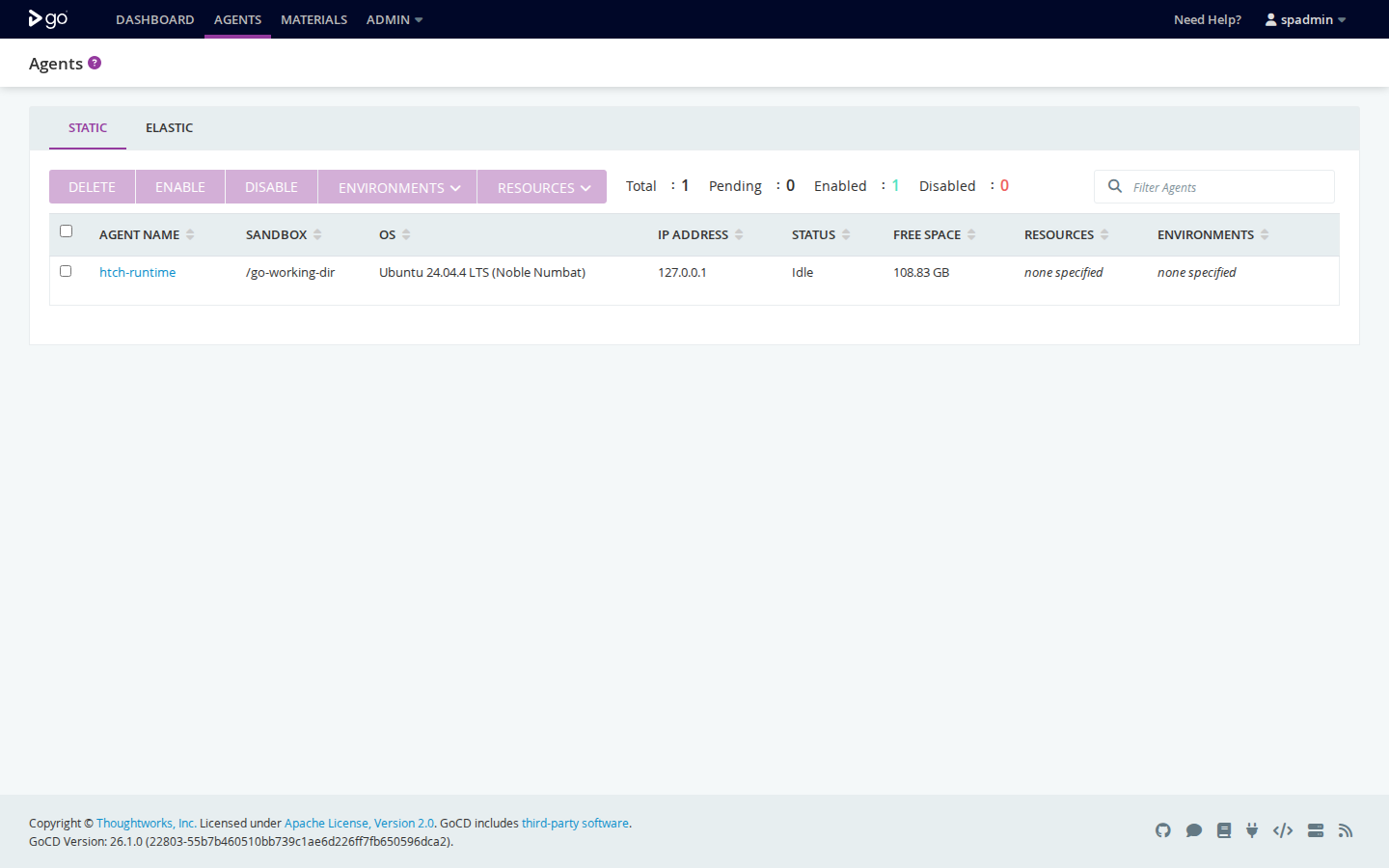
The Agents page
Agents do the running. The bundled agent is enabled and idle; on a server with sign-in set up — the kit's required install step — every new agent waits as Pending until an admin enables it by hand, so a stranger's machine cannot join and receive your source code.
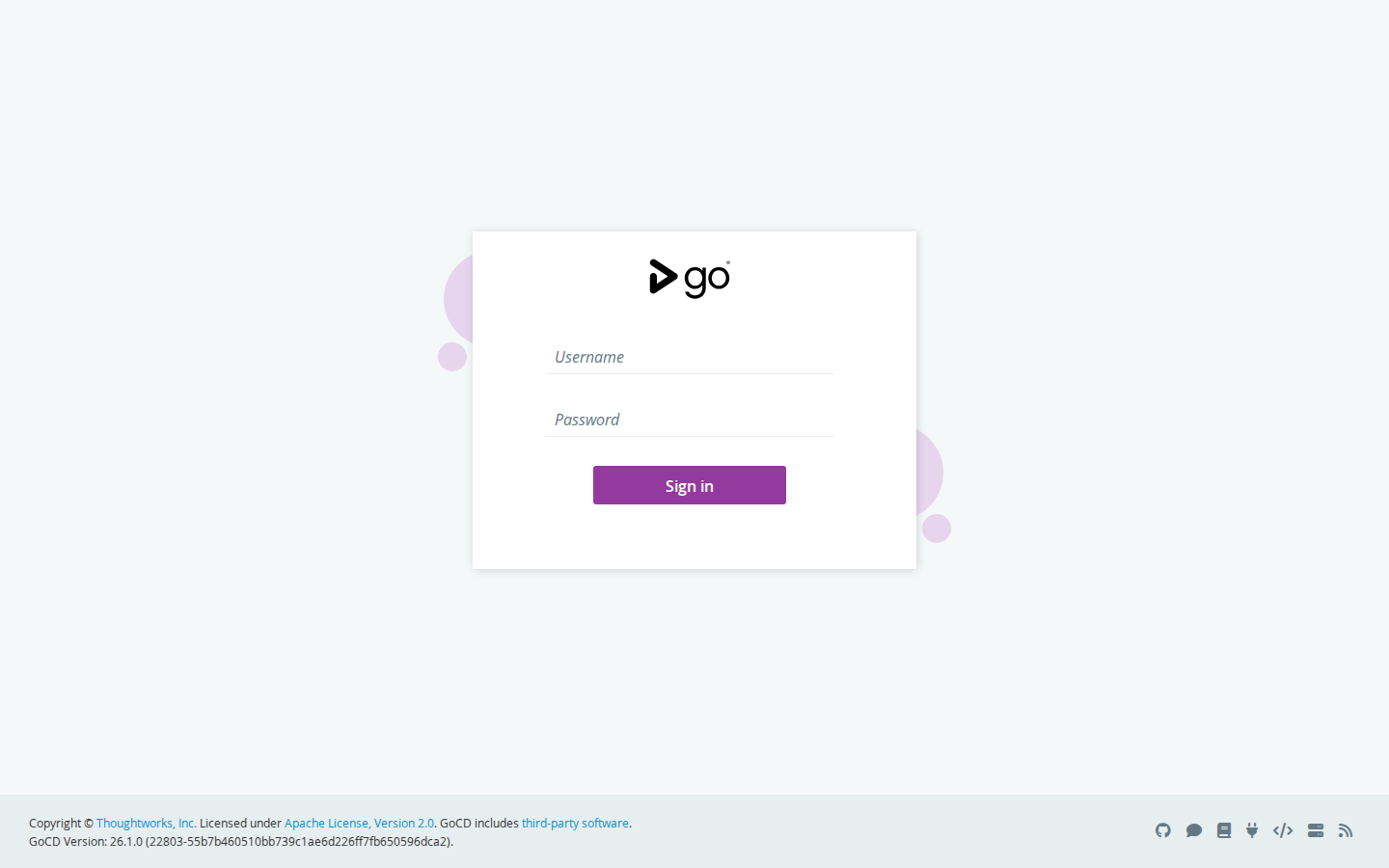
Sign in — yours, created at install
There is no default password anywhere in this package. The install has you create the admin password (stored only as a bcrypt hash in a file you own), and the start guide walks the five clicks that point the server's sign-in at it. Anonymous visitors get this page and nothing else.
Booted and checked during packaging
Real lines from the packaging boot test, run from the shipped package: the version API reported the exact pinned build, the starter pipeline passed with its artifact fetched back from the server, the sign-in refused anonymous and wrong-password attempts, and the shipped backup/restore scripts passed a full round trip — a change made after the backup was gone after the restore. The sandbox ran the containers through Podman with a small shim for the scripts' compose calls instead of Docker itself; the full record, including the two kit defects this boot found and fixed, is in the package's boot record.
RESULT: FULL BOOT + FULL STARTER RUN + SIGN-IN + BACKUP/RESTORE ROUND TRIP — ALL PASSED.
- Version API: full_version "26.1.0 (22803-55b7b460510bb739c1ae6d226ff7fb650596dca2)" — exact pin.
- Starter run: starter-build counter 1, stage build_and_test Passed, job build Completed/Passed.
  "Tests passed" and "starter-build-ok", artifact uploaded. The artifact was fetched back from
- Backup/restore round trip (shipped scripts, verbatim; a 20-line shim translated their
  guide now say so), verification showed: marker environment GONE, config repo starter-repo
What it does
- Pipelines as a chain of stages — build, test, package, deploy — clicked together or kept as code in a config repository
- Value-stream map from the commit to the deploy, so a stuck release shows the exact stage where it stopped
- Agents run the work; on a secured server each new agent waits as Pending until an admin enables it by hand
- Every run keeps its console logs and downloadable artifacts on your server
- Sign-in set up at install — your password, bcrypt hash, no default — plus an HTTPS starter for your own domain
- One-command backup and restore for the whole install: config, database, artifacts and plugins